Help on Searching for Articles/Content
Concept of Operation
Purpose:
This page makes it possible for the user to search through the
various types of content stored on the RAFINO website. Whereas, in the past, you went to the
"Bulletin Board" or "Updates Page" or "Whats Hot/New" page
or "Finance Stories" page to see related articles, this new website has moved those articles into
a searchable database that can be searched in the "Browse Content/Articles screen.
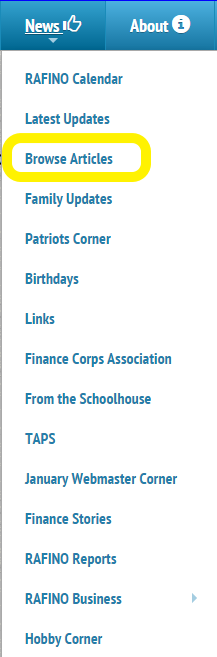
You can access the "Browse" page via the main menu, clicking on the "News" Menu and
selecting the "Browse Articles" option:
Content Types
The kinds of content that you will find in the database include:
-
Bulletin Board Articles
- General notices
- Obituaries
- Member illnesses/conditions/status
- New Member Accessions
- Member Data Changes
-
Breaking News Articles
- What's "Hot"
- What's "New"
-
Historical Articles
- Finance Stories
- Finance Corps Museum ("Did you know ...?) Articles
Search Capability:
Every Article Will be classified according to the above scheme and will contain
a short, descriptive headline and a date indicating when the article was posted
to the site. These can be used as search criteria to find and review the articles
in which you may be interested.
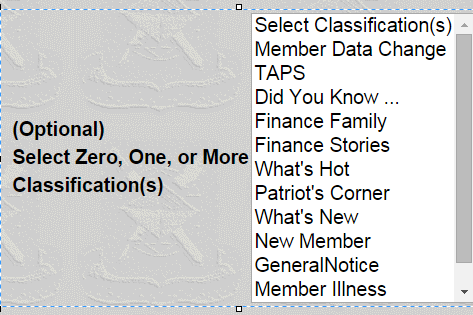
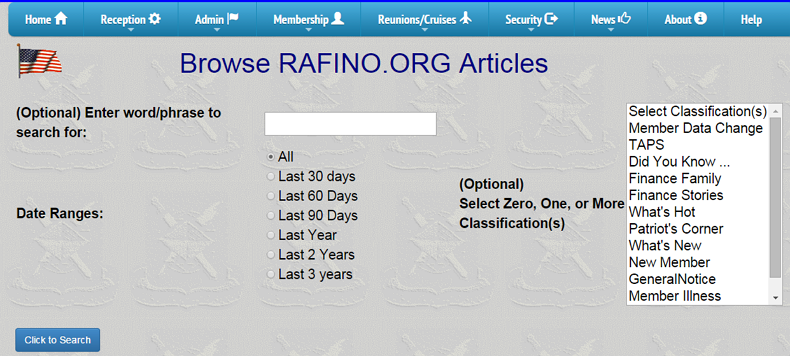
The search screen - shown on the right - allows you to search all the articles for those which contain a desired word or phrase. In addition, you can further qualify the search by date. Finally, you can even further qualify the search to limit it to those articles which have a classification equal to one (or more) of the classifications described above.
The search yields a list of articles' headlines which meet the entered criteria.
 "
"Scenarios
Below are examples of how to use the "Browse Content/Articles" search screen.
Search for article based upon keyword
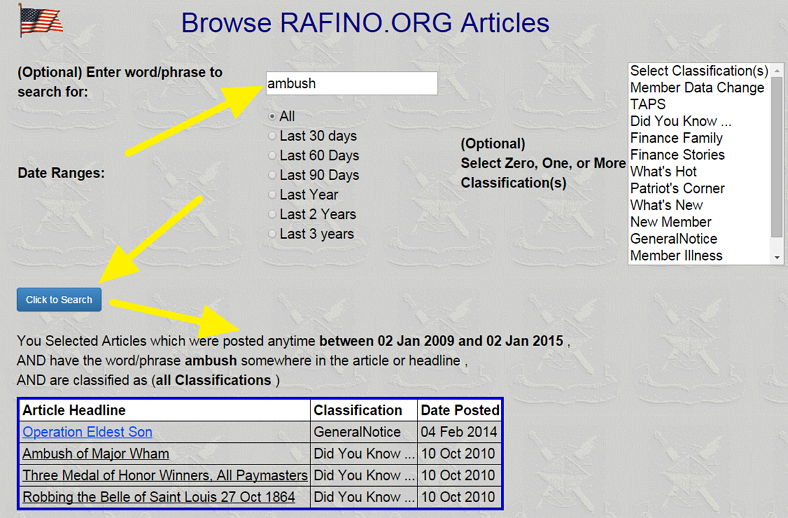
Here is an example of a search. Assume you recall seeing an article on the site some time ago concerning an ambush of a paymaster. This could be searched for easily. This example shows the search screen (with its default values and an entry in the "Word/Phrase" field (typed in the word "ambush".
TAPs Postings Year-to-Date
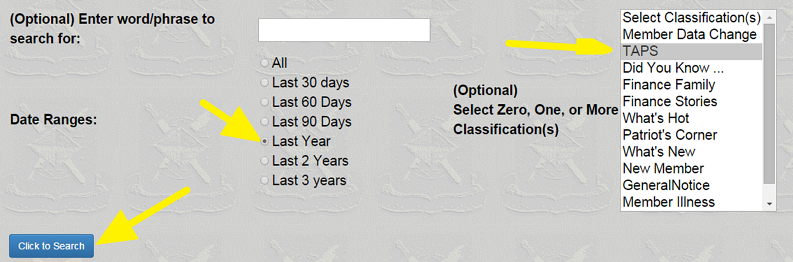
Assume you want to check out the obituaries posted since the first of the year 2014. The search criteria would be:
- click on the "TAPs" classification
- In the "Date Ranges", click on the radio button for the "Last Year"
- Click on the "Click to Search" button
The result is delivered as an index of the headlines for the articles which meet the search criteria. You can click on any headline to read the full content of the article.
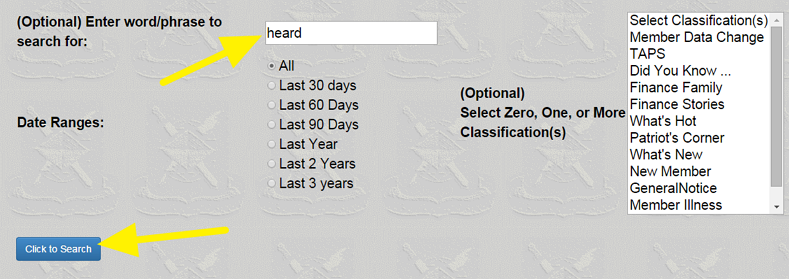
Postings on File Mentioning (Jerry) Heard
The search criteria would be:
- Type "heard" into the "word/phrase" textbox
- Leave the dates set to the default of "all"
- Do not select a classification
- Click on the "Click to Search" button
(Note: if you try this search, you will find that a lot of articles come up having little or nothing to do with Jerry Heard. This is because the search criteria (contains "heard") is not restrictive enough and articles like "He heard the shot" will also come up. Try narrowing the search to "Jerry Heard" instead of just "Heard" and you will get results more in keeping with your expectations).